Choosing a deep learning server manufacturer is not simply a matter of comparing GPU counts. The right system should fit the models, data pipelines, and operating conditions your team actually uses. A server packed with accelerators can still underperform when memory capacity, PCIe lanes, storage speed, or network bandwidth becomes the bottleneck. Cooling matters too. Review airflow diagrams and ask how performance holds up during sustained training in a warm data center. Small details add up.
Ask vendors for benchmarks that reflect your workloads, not just peak performance figures. Numbers can flatter. Check how tests were run, and compare results using your own training jobs where possible. Also examine support response times, warranty terms, spare-part availability, firmware updates, and compatibility with your existing software. These details can matter when a failed fan or delayed replacement interrupts a project. Consider total ownership costs, including power, cooling, and future expansion. A low purchase price may not stay low.
A reliable deep learning server manufacturer should explain design trade-offs clearly and provide evidence for its claims. Request references from teams with comparable deployments, then ask what went wrong as well as what worked. No checklist removes uncertainty. Even careful planning can miss a constraint that appears only after deployment. The goal is not to find a flawless vendor, but to choose a partner whose engineering, documentation, and support match your needs.
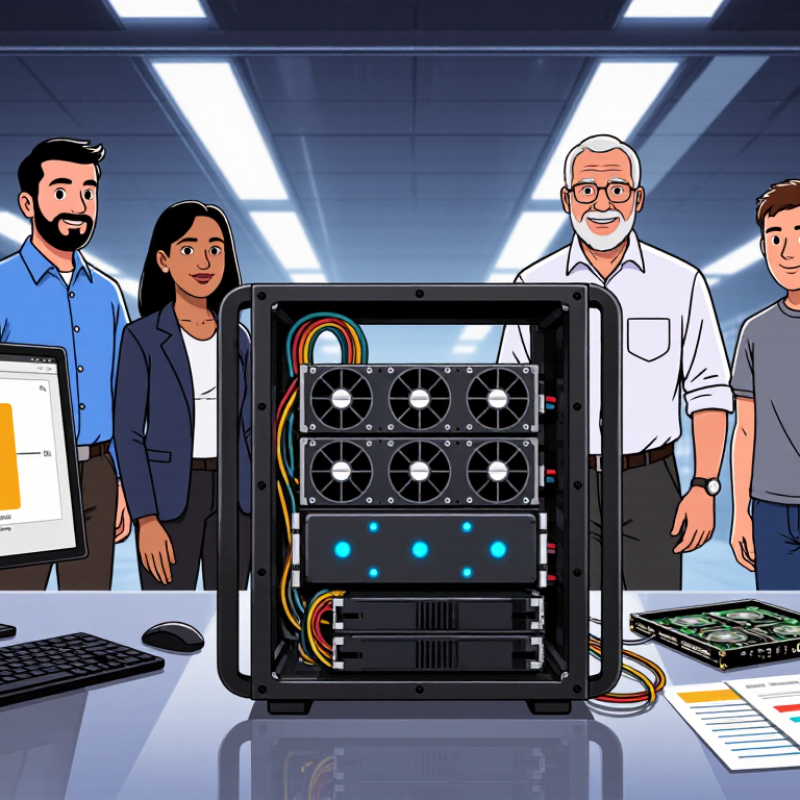
Define Your Deep Learning Workload and Hardware Requirements
Before comparing deep learning server manufacturers, define the work the system must perform. Training a vision model on image batches creates different demands from serving a language model with strict response-time targets. Record model size, dataset volume, batch size, expected users, and whether workloads run continuously or in bursts. Be specific. “Large dataset” is not a useful hardware specification.
Estimate accelerator memory from the model, activations, and batch size, then leave room for growth. A model that barely fits today may become impractical after an update. Check memory bandwidth, CPU capacity, system RAM, and storage speed as well. For example, several terabytes of image files can make slow storage a daily bottleneck, even when accelerators sit idle. Measure network needs if data or jobs move between servers. Small details matter.
Use real workloads or representative benchmarks before setting a final configuration. A spreadsheet helps, but estimates can be wrong; record that uncertainty rather than hiding it. Consider power draw, cooling, rack space, and noise in the intended room. Ask manufacturers to explain component compatibility, service coverage, and upgrade paths in writing. Their answers should match your workload, not just a headline accelerator count. Short tests reveal much.
Compare Manufacturer Expertise and Server Configurations
Manufacturer expertise is easiest to judge through specific questions, not broad claims about performance. Ask how the team validates GPU communication, cooling, and firmware under sustained workloads. Request test results using models and batch sizes close to yours. Ask for evidence. Small details matter.
Compare server configurations around the work you actually run. A system with several accelerators may look impressive, but limited memory or poor interconnect bandwidth can slow training. Check accelerator memory, CPU-to-GPU layout, power capacity, and airflow. For example, dense models may need more memory, while frequent dataset transfers can make fast storage and networking more important. I would not choose from peak benchmark numbers alone; they rarely tell the whole story.
Support quality also affects the configuration decision. Ask whether replacement parts are stocked locally, how remote diagnostics work, and what response times are realistic. Have the manufacturer explain noise, heat output, rack depth, and power draw before installation. These checks can feel tedious. They are easy to skip when a quote looks clean, and I would still double-check assumptions about future upgrades. A clear configuration sheet should list exact components, tested software versions, and any limits on expansion.
Compare a manufacturer’s experience with accelerator platforms, high-speed interconnects, power and cooling, and workload support. These representative configurations show accelerator counts only; available specifications vary by system.
Evaluate Performance, Reliability, and Compatibility
When comparing a deep learning server manufacturer, judge measured throughput, not accelerator count alone. Ask for MLPerf Training results that match your model, precision, batch size, and software stack. A published score helps only when the test configuration is disclosed. Run a representative workload too: a four-hour training job can reveal thermal throttling, slow storage, or uneven scaling that a brief demo misses. Small details matter.
Reliability needs evidence. Uptime Institute’s 2024 outage analysis found that 54% of respondents reporting a significant outage said their most recent incident cost more than $100,000. Ask how each server is tested under sustained load. Request power and cooling limits, component failure rates, firmware procedures, and support response terms. Check whether replacement parts are available for the expected service life. Numbers can mislead.
Compatibility determines whether performance survives deployment. Confirm that processors, accelerators, memory, network adapters, and storage work with your operating system, drivers, frameworks, and job scheduler. Request a written compatibility matrix, including tested firmware versions. Verify rack depth, power connectors, cooling capacity, and data-center network speeds before ordering. A system may benchmark well yet fit poorly into existing infrastructure. I would still test one node first; procurement plans sometimes miss messy details.
Review Technical Support, Warranty, and Security Services
When choosing a deep learning server manufacturer, inspect support terms as carefully as processor and accelerator specifications.
Ask whether engineers are available around the clock, how quickly critical tickets receive a response, and whether support includes firmware, networking, and accelerator diagnostics. Request a sample escalation path. A useful service plan identifies who owns a fault when several components are involved.
That matters.
Warranty language should specify coverage for accelerators, memory, power supplies, and cooling systems, plus repair timelines and replacement-part availability. Uptime Institute’s 2024 Annual Outage Analysis found that
54% of respondents’ most recent significant outages cost more than $100,000.
This makes clear recovery commitments worth scrutiny. Security services deserve equal attention: ask about signed firmware, vulnerability notices, access logging, and secure data wiping after repairs. IBM’s 2024 Cost of a Data Breach Report put the global average breach cost at
$4.88 million.
A warranty PDF alone proves little. Compare written service-level commitments with the actual process for after-hours incidents, and ask for recent service metrics.
Even then, metrics can hide frustrating exceptions.
Compare Total Cost of Ownership and Scalability
Choosing a deep learning server manufacturer means comparing more than purchase prices. A low quote can hide costs for power distribution, cooling, support, and replacement parts. Uptime Institute’s 2024 Global Data Center Survey reported an average data-center PUE of 1.56. At that ratio, a 100 kW IT load corresponds to about 156 kW of total facility power. This is only an estimate, not a promise: local cooling conditions and workload patterns change the result. Still, it shows why energy efficiency belongs in any total-cost-of-ownership model.
Ask manufacturers for measured power figures under realistic GPU workloads, not just peak specifications. Check service response times, warranty terms, parts availability, and the cost of adding nodes later. Scalability also depends on rack space, power capacity, network bandwidth, and cooling headroom. A server that expands easily on paper may require expensive facility upgrades. I would compare three-to-five-year costs, though that timeframe can miss longer replacement cycles.
Tips: Request a sample bill of materials and a workload-based power estimate. Price one planned expansion, too. Keep assumptions visible; they are easy to get wrong.
How to Choose a Deep Learning Server Manufacturer? – Compare Total Cost of Ownership and Scalability
| Comparison Dimension |
Candidate A |
Candidate B |
Candidate C |
| Example system configuration |
One 4-accelerator server; identical accelerator class and capacity assumed |
One 4-accelerator server; identical accelerator class and capacity assumed |
One 4-accelerator server; identical accelerator class and capacity assumed |
| Estimated purchase price (USD) |
$180,000 |
$165,000 |
$195,000 |
| Annual hardware support estimate (USD) |
$12,000 |
$18,000 |
$10,000 |
| Average IT power at modeled workload |
3.2 kW |
3.5 kW |
3.0 kW |
| Estimated 3-year energy cost (USD) |
$12,600 |
$13,800 |
$11,800 |
| Estimated deployment and network setup (USD) |
$8,000 |
$12,000 |
$6,000 |
| Estimated 3-year total cost of ownership (USD) |
$236,600 |
$244,800 |
$242,800 |
| Modeled 3-year cost per accelerator (USD) |
$59,150 |
$61,200 |
$60,700 |
| Scale-out planning example |
Plan in 4-node increments; verify network and storage capacity before expansion |
Plan in 2-node increments; confirm that the lower entry price remains consistent at cluster scale |
Plan in 4-node increments; confirm lead times and configuration consistency for repeat orders |
| Scalability checks before purchase |
Request a validated multi-node reference design, compatible firmware matrix, and rack power requirements |
Confirm high-speed fabric options, cluster management tools, and support coverage for the full deployment |
Check component availability, expansion lead times, and compatibility across future server batches |
| Best fit in this example |
Balanced support cost and estimated TCO |
Lowest upfront price; comparatively higher modeled support and energy costs |
Lower modeled energy and setup costs; higher upfront investment |
Planning estimates only, not supplier quotations. TCO assumes 3 years, 70% average workload utilization, electricity at $0.12/kWh, and a facility PUE of 1.5. Energy costs are calculated from modeled average IT power. Estimates exclude software licenses, taxes, financing, downtime, and hardware replacement. Validate specifications, support terms, and expansion capacity with written quotes before purchasing.
Conclusion
Choosing a deep learning server manufacturer begins with a clear understanding of your workload. Consider the size and complexity of your models, the volume of data you process, and whether your work requires extensive GPU resources, fast storage, or high-speed networking. Use these needs to compare manufacturers’ expertise and available server configurations, rather than selecting a system based on specifications alone.
Next, assess performance, reliability, and compatibility with your software and existing infrastructure. Review the technical support, warranty coverage, and security services available, since dependable assistance can help reduce downtime. Finally, compare the total cost of ownership, including operating and maintenance expenses, and consider how easily the system can scale as your needs grow. A well-matched server should support current projects while leaving room for future workloads.
 Velorix
